
In Your Listing - Pending tab, you are able to see the jobs that you have posted as Public Offer and pending for Accept or Counter offer or Reject by Hauliers.
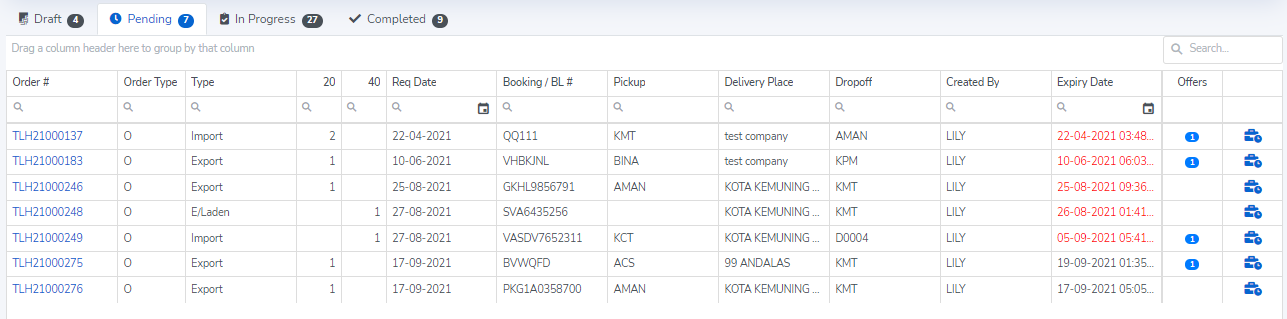
Lister may extend the job expiry if needed. To extend expiry of your offer, simply click the last button to the right and input the hours that you would like to extend.
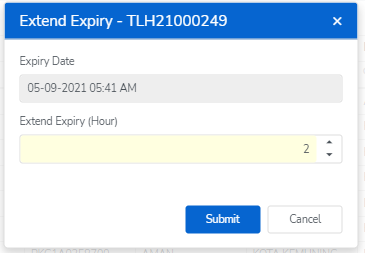
Once submitted the extend expiry hour, a notice showing the job validity extended successfully would appear and the job expiry would be extended accordingly.

Lister will receive notification once the haulier Accept or Reject or Counter offer. The "Offers" column is reflecting the number of Acceptance/Counter Offer being responded for respective job.
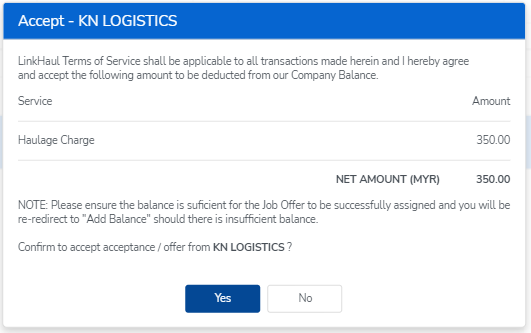
To view the haulier's offer, simply click the number of the "Offers" and the Lister would have the option to Accept, Reject or Counter Offer back to Haulier.
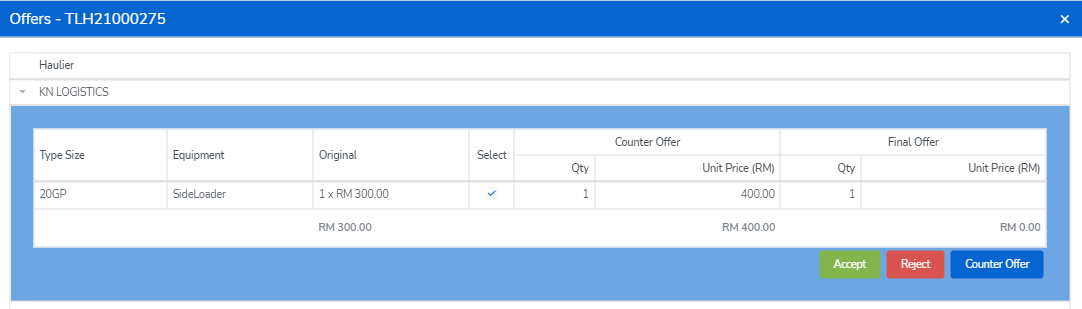
To counter offer, Lister would need to fill in the amount that they would like to counter offer (ensure the total counter offer amount is correct) then click "Counter Offer" to offer back to Haulier.
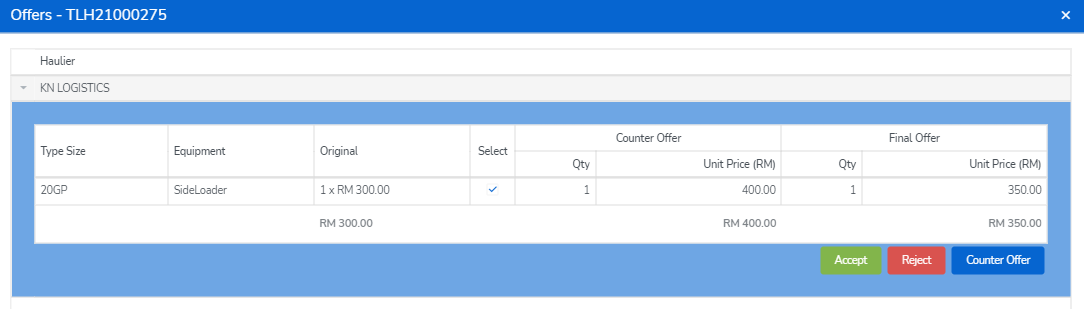

Each party is only allow to counter offer once. Hence, the Haulier could either Accpet or Reject once Lister countered offer back. Once Haulier accepted the final offer, the Lister would be notified and could proceed to confirm the assignment and proceed the payment.
Comments
0 comments
Please sign in to leave a comment.