
This guide is for Forwarders that utilize the ASolute system which is currently integrated with LinkHaul. In this guide, the Lister is using Asolute to post job directly to the Haulier in LinkHaul platform.
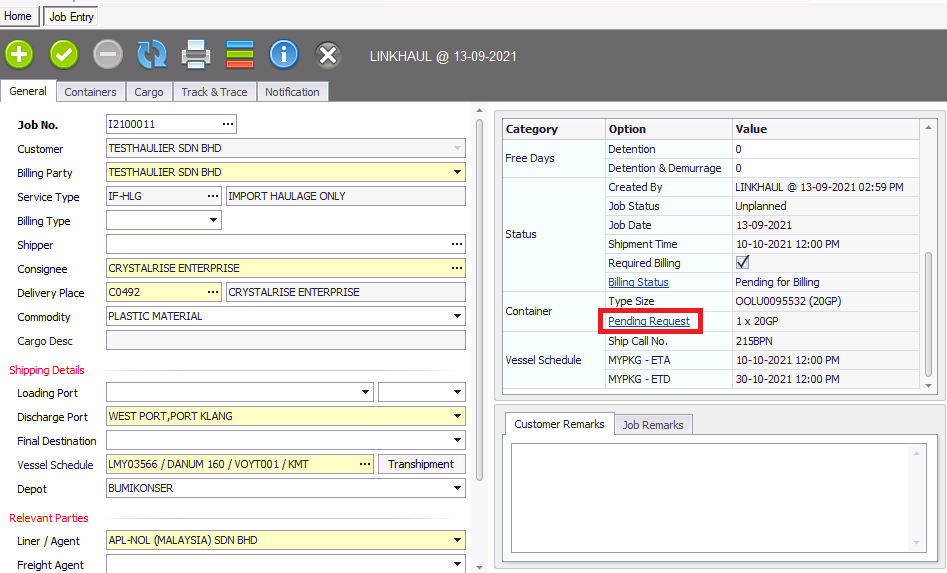
1. Fill in all the relevant details and save, then select "Pending Request".
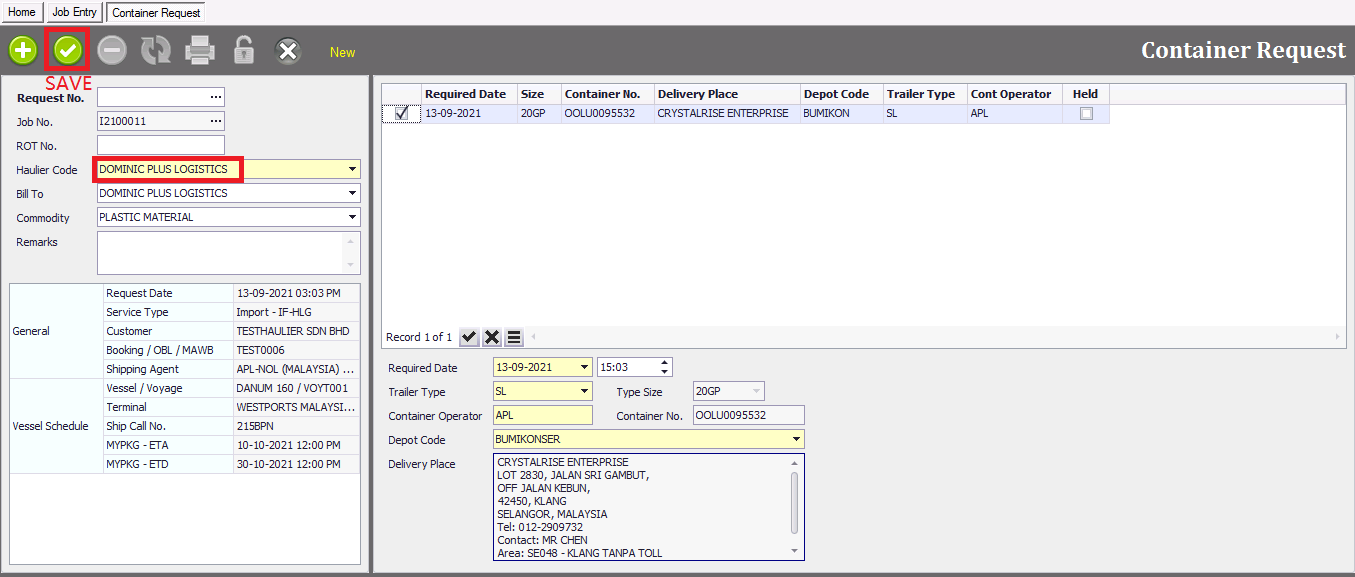
2. At Haulier Code, select the haulier that would like to assign the job to and click "Save"  .
.
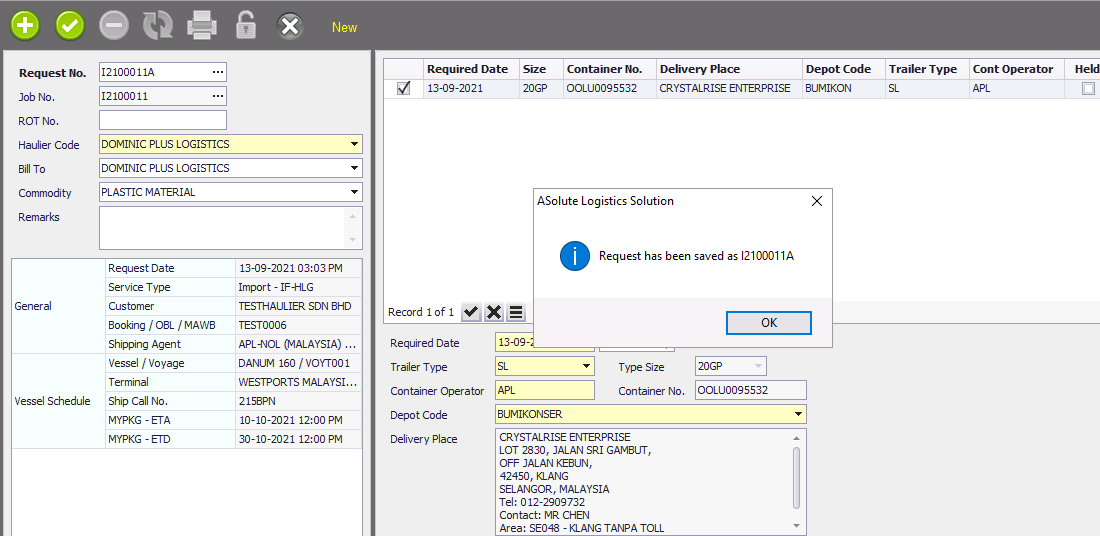
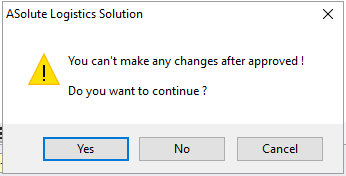
3. Once saved, you would need to click "lock" to confirm the job assignment. The system will prompt that "You can't make any changes after approved" and you would have to click "Yes" to continue.
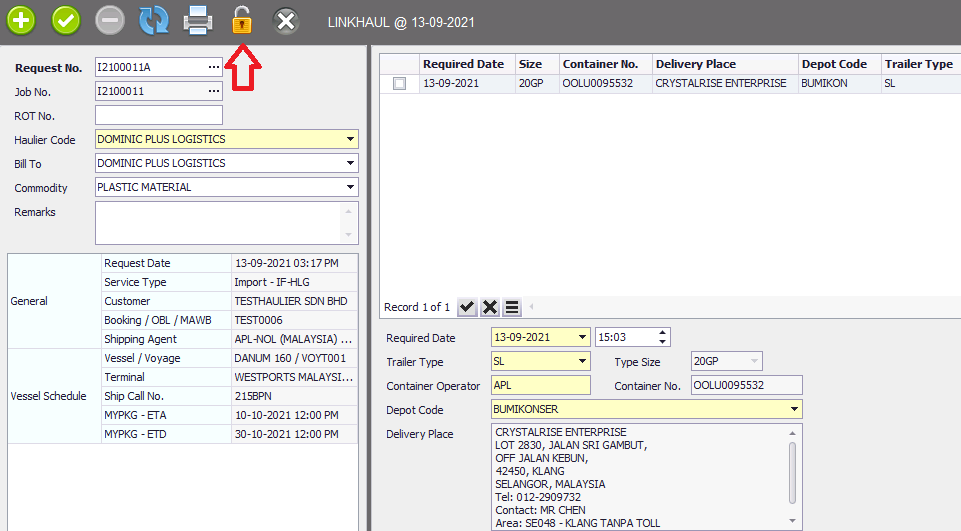
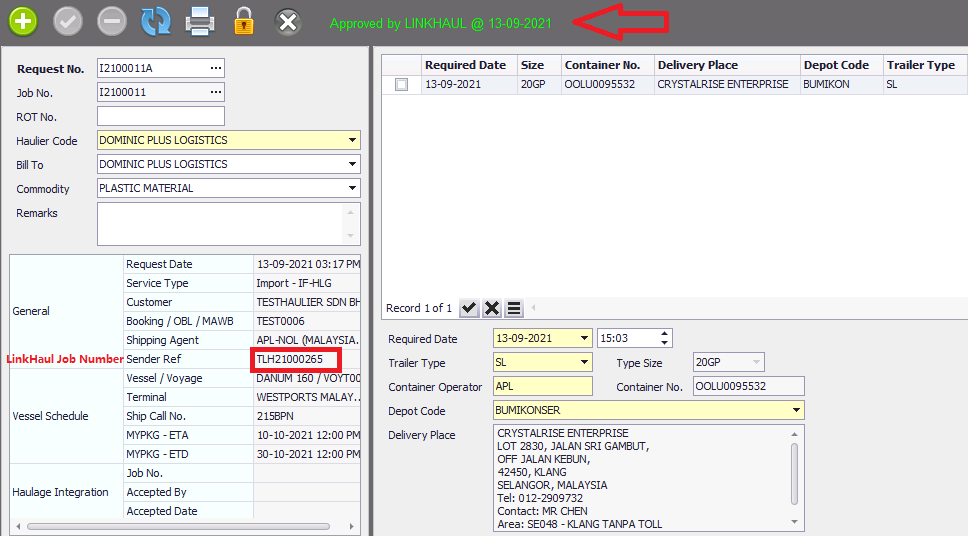
Once clicked "Yes", job assigned and system will appear approved by LinkHaul with LinkHaul Job number and job posted date.
Email notification will be auto generated by LinkHaul to both the Lister and Haulier confirming about this new job assignment and Haulier will able to view the job details in LinkHaul accordingly.
- Haulier's job screen in LinkHaul
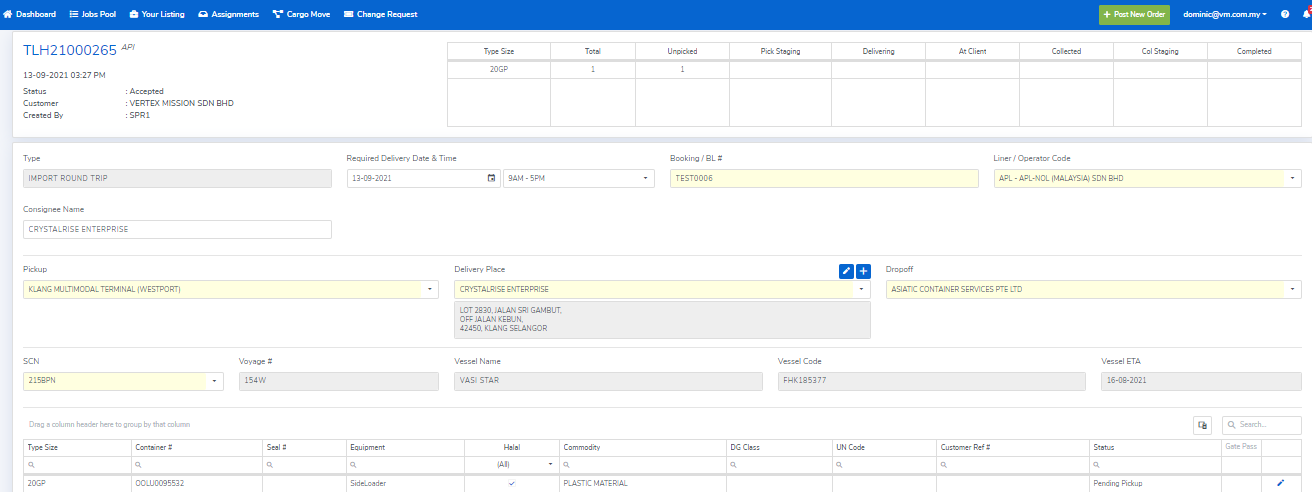
Haulier will perform the job assigned and update the activity accordingly in LinkHaul. It would then auto updated back to Lister Asolute system seamlessly.
Lister would just need to operate as usual in their Asolute system and all the activities would be synced and updated from the backend till the job completed.
Comments
0 comments
Please sign in to leave a comment.