
You may create a new job by cloning. Clone Job allows you to create an exact copy of any job with the same job detail.
Go to your listing - in progress, select job number, open the job and click "clone".

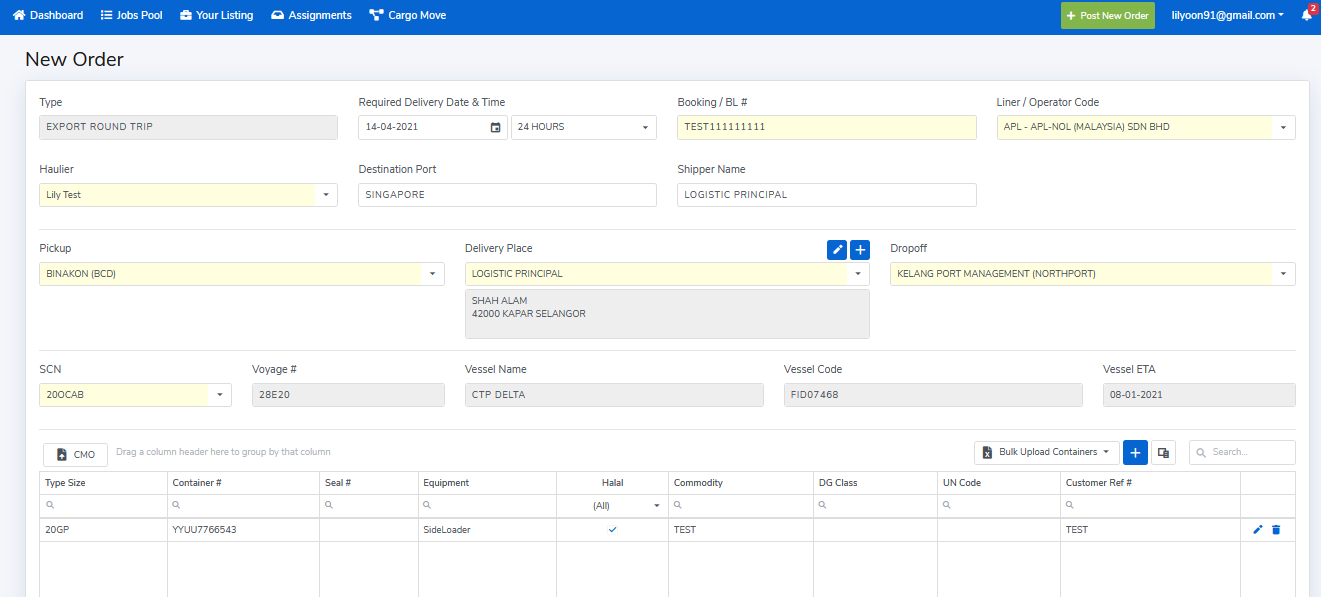
A New Order will pop up with the same job details and you would have to edit the necessary changes.
- Required Delivery Date and Time
- Booking/ BL Number
- Liner/ Operator Code
- Haulier
- Pickup
- Delivery Place
- DropOff
- Vessel Detail
- Container details
- Attachments – K1 & Gatepass or CMO
- Remarks – Any specific requirements if needed
Then press "Save And Post" to push the job to your Direct Settlement Haulier or click "Save As Draft" for subsequent submission.
Comments
0 comments
Please sign in to leave a comment.