
Once the haulier delivered the container and reflected 'At Client' status, the lister will be able to provide the RFC details to the haulier in order to arrange for collection of the empty or laden container from the consignee or shipper.
The lister will receive a notification to input the RFC details for the haulier to arrange the collection of the empty or laden container.
1. Update thru LinkHaul platform
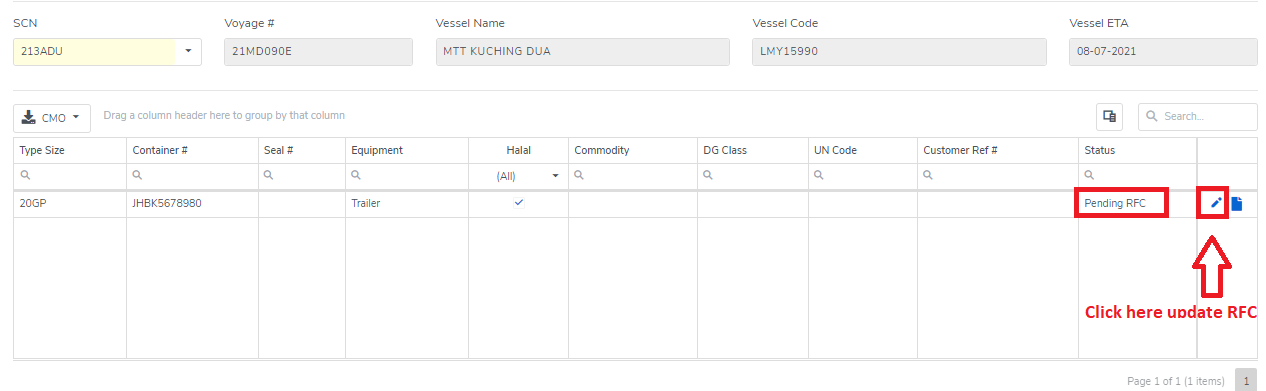
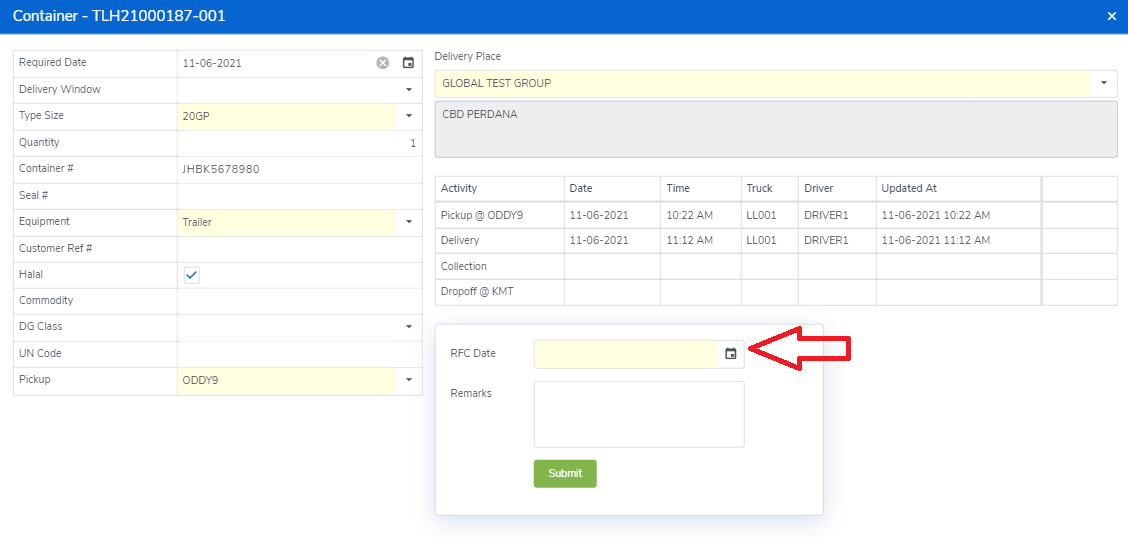
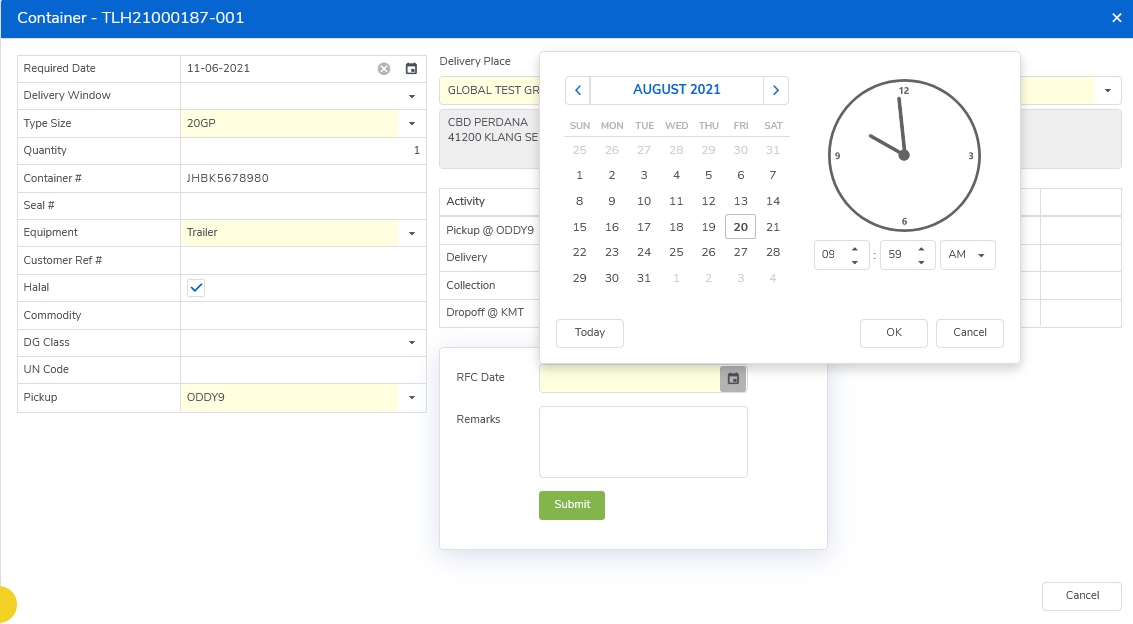
Click the "pen" sign of the respective container and fill in the RFC date & time.
2. Update thru LinkHaul App
RFC may also be updated thru LinkHaul App.
a. Thru Forwarder App by the Lister
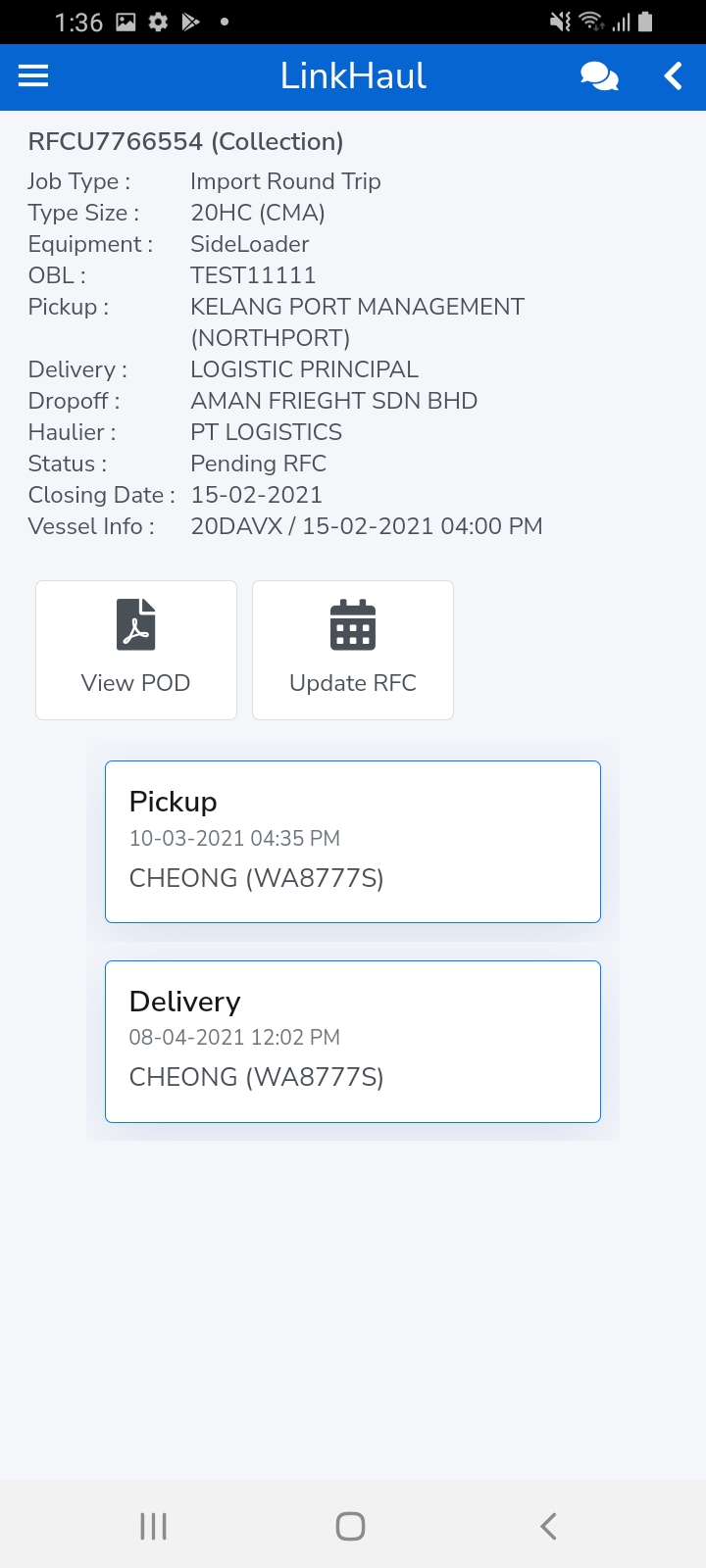
- Tap on the Update RFC icon of the respective container and fill in the RFC date & time, then submit.
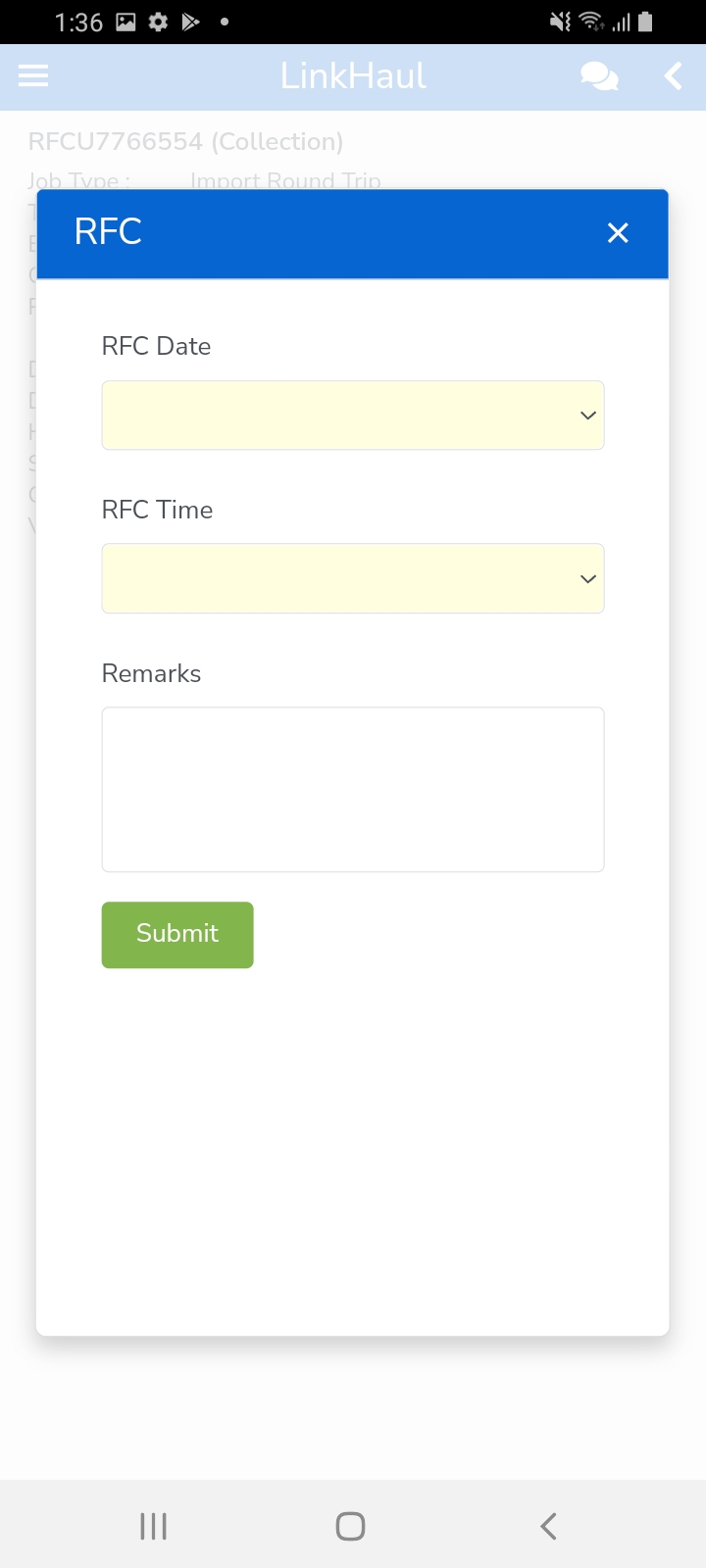
b. Thru Customer App by the Shipper/Consignee
- Tap on the Update RFC icon of the respective container and fill in the RFC date & time, then submit.
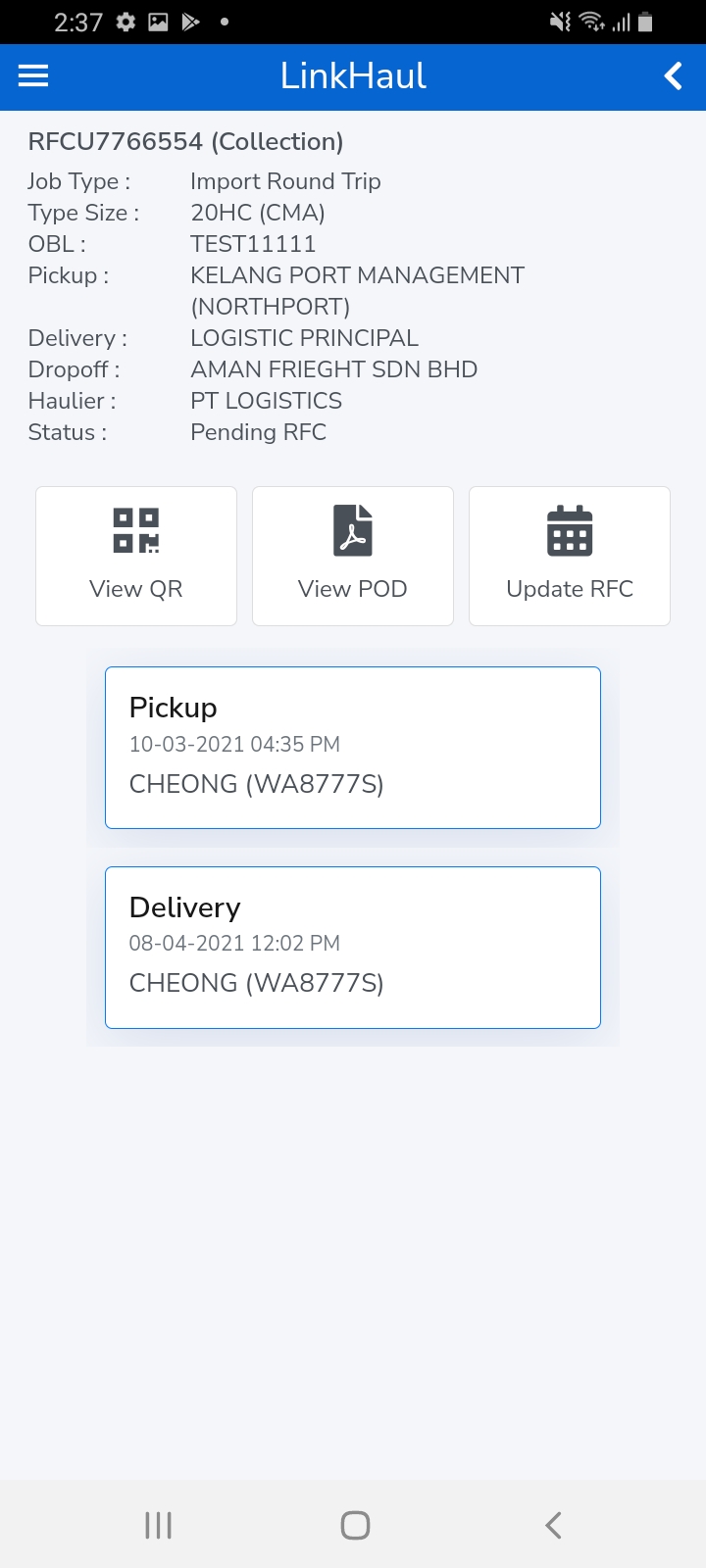
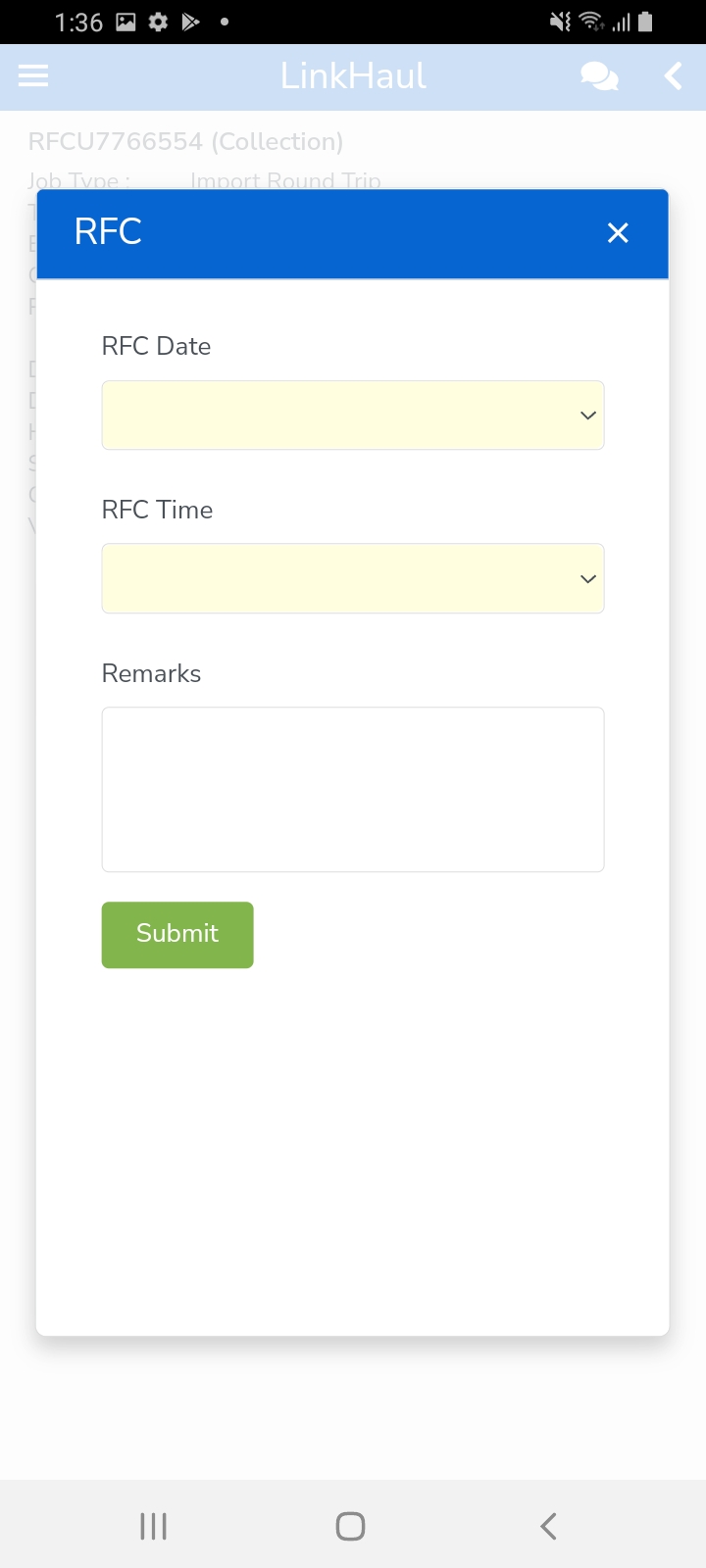
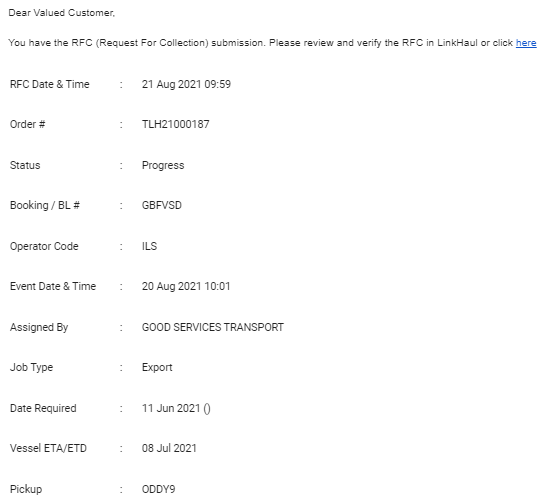
Once submitted, haulier will be received an RFC email notification.
Comments
0 comments
Please sign in to leave a comment.