
Congratulations, your account has been verified and approved, now you can start using the full platform and all its amazing features.
Firstly, go to "Settings" (dropdown from login ID)
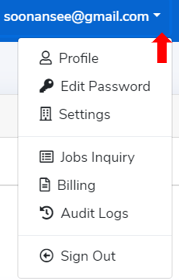
Click on "Settings" and you will able to view the following:
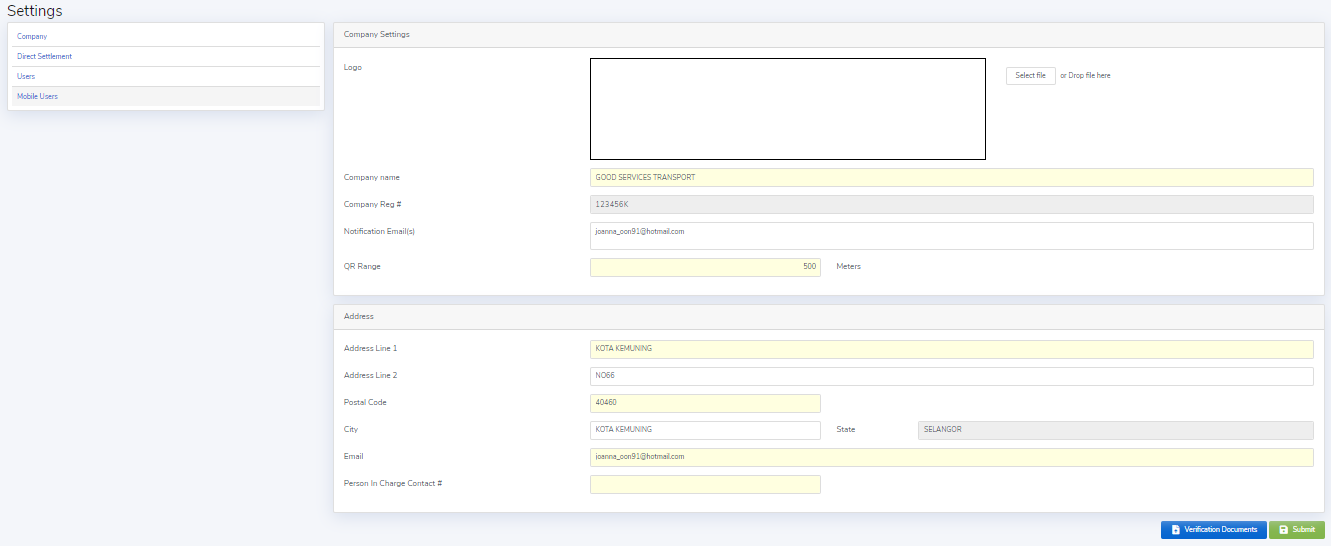
1) Company Setting
- Logo - You may upload your company logo so that it could reflect in the ePoD (electronic Proof of Delivery) that auto-generated once performed your delivery.
- Company name - Please check and ensure the company name is correct as provided earlier.
- Notification Email(s) - Please fill in the email addresses that you would like them to receive the system-generated email notifications for the each job operation.
- QR Range - This is for security enhancement to enable QR code retrieval on Customer App during the container delivery. The default is 500 meters and you may adjust it from 0-1000 meters if necessary.
- Address - Please check and ensure the address is correct as provided earlier and update the person in-charged contact number.
Please remember to click "Submit" when updated.
2)Direct Settlement
- Add in your Direct Settlement hauliers that you will settle directly with them in accordance to the pricing & payment terms agreed with them separately.
- Only those added Direct Settlement hauliers would be appeared for your selection when you posting a new job.

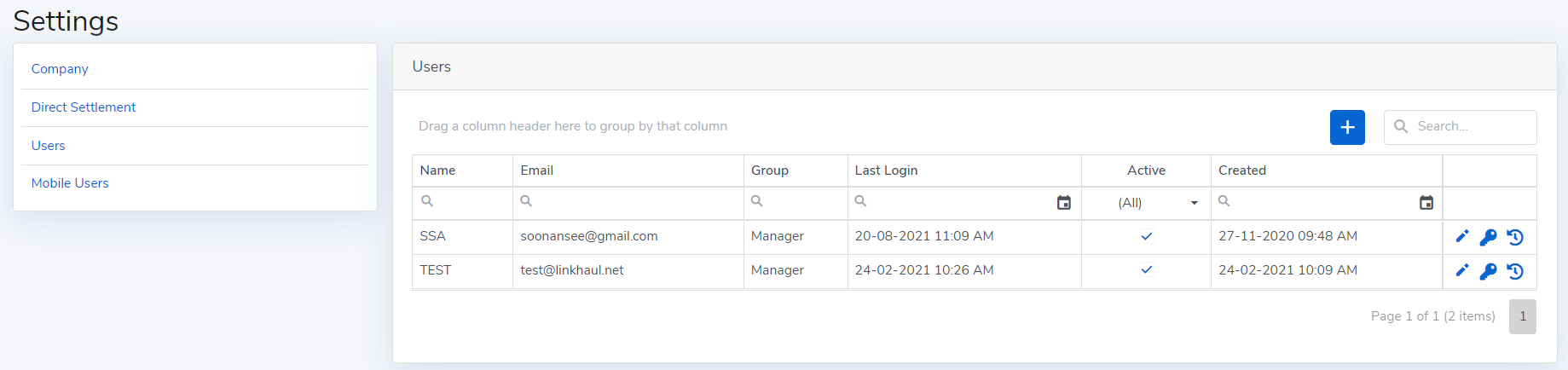
3) Users
- You may add user (as many as you like them to access to your account) by clicking the "+" button.
- You may also edit the user particular as and when needed.
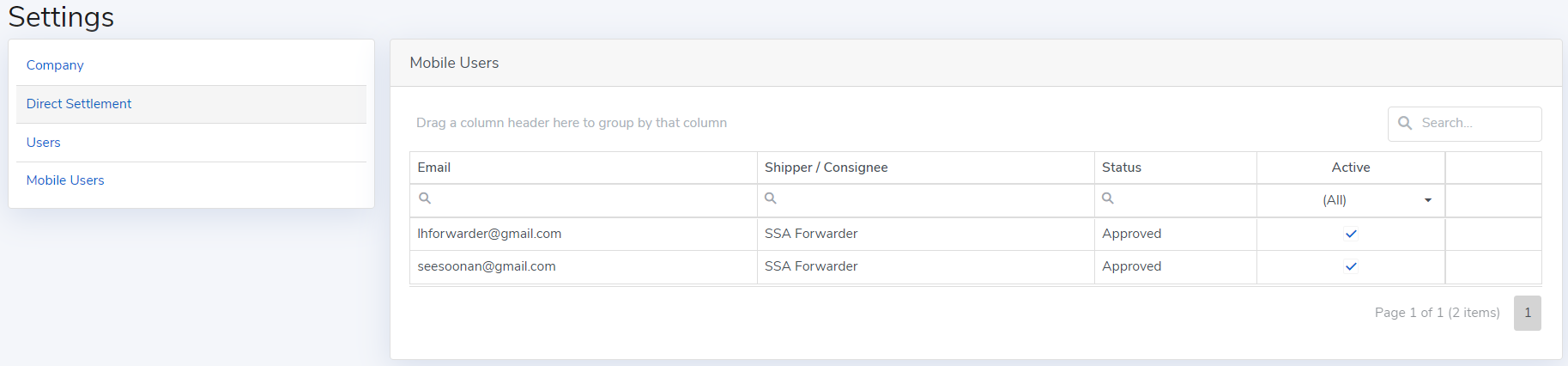
4) Mobile Users
This is for summary of your shipper/consignee that registered for mobile access.
- Your shippers/consignees are able to register thru the LinkHaul Mobile App for viewing their container movement and facilitate the QR code scanning or paperless delivery process. However, their access would be subjected to your approval.
Comments
0 comments
Please sign in to leave a comment.