
Once the job has been assigned, the haulier would have the ability to book the new container slot in CargoMove directly through the LinkHaul platform.
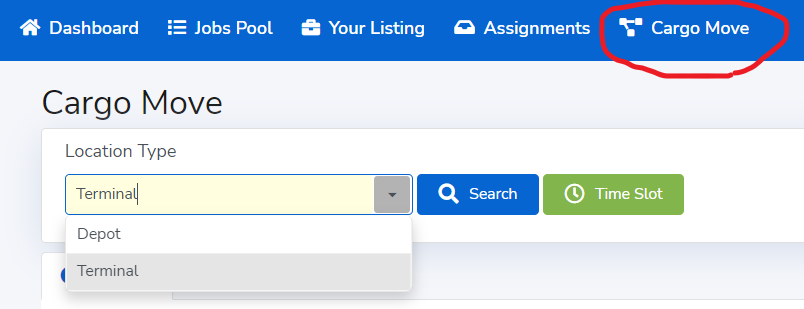
Simple go to CargoMove and select the Location Type.
- Depot location type is where the containers of your job assigned are available in CargoMove for slot booking to pickup from Depot or Dropoff to Depot.
- Terminal location type is where the containers of your job assigned are available in CargoMove for slot booking to pickup from Terminal for Import or Dropoff to Terminal for export.
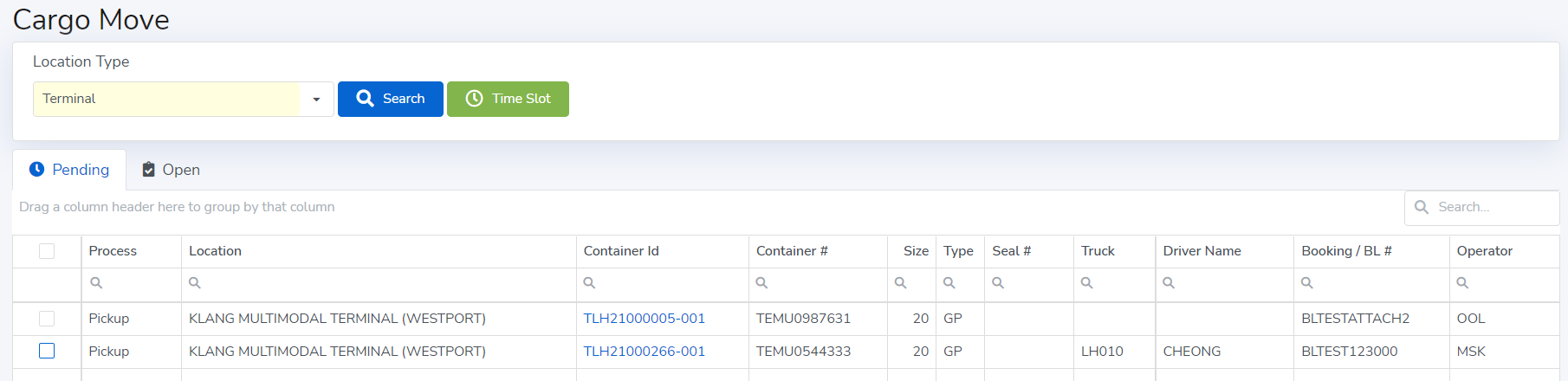
"Pending" tab is where the containers of your job assigned that available in CargoMove for slot booking.
Once select the Location Type and click Search, a list of containers of your job assigned that available in CargoMove for slot booking will appeared for you to choose and select the Time Slot for booking.
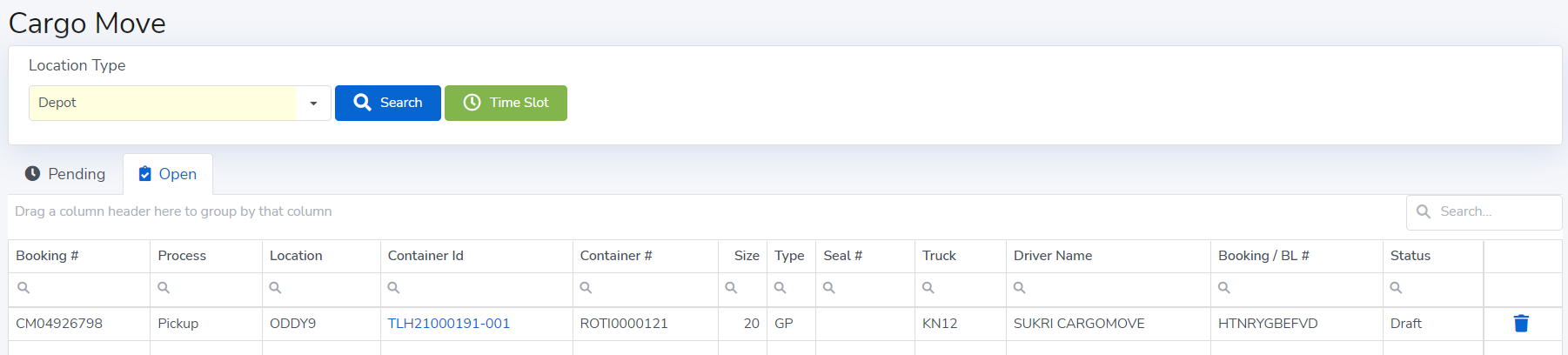
Once slot booking has been successfully done, it will move from "Pending" and appear in the "Open" tab.
The "Open" tab is where the CargoMove slot that have been booked and you may click the bin  to cancel the booking.
Comments
0 comments
Please sign in to leave a comment.