
1. Open Jobs Pool - Haulier to Bid/Accept open offer
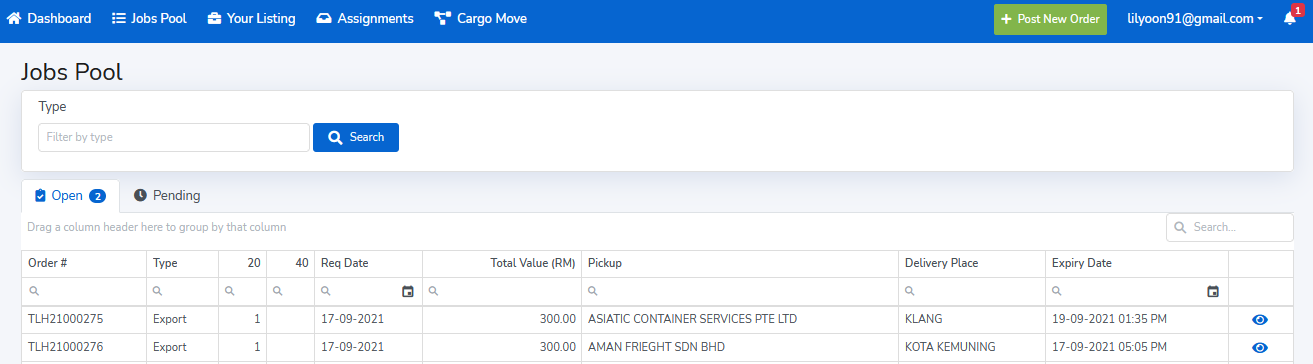
Haulier can accept or counter offer jobs from the "Open" jobs pool by clicking the View Details icon  next to the specific job that you are interested.
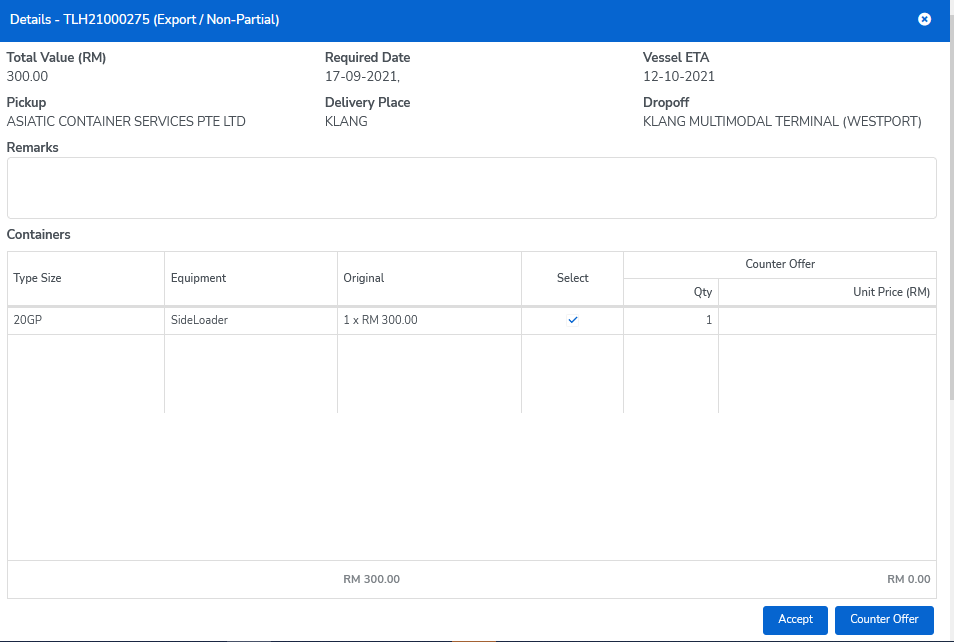
After selecting the containers you are interested, you could either accept the offer at the price quoted by clicking "Accept" and confirm Accept offer or fill in the amount that you would like to counter offer (ensure the total counter offer amount is correct) then click "Counter Offer". 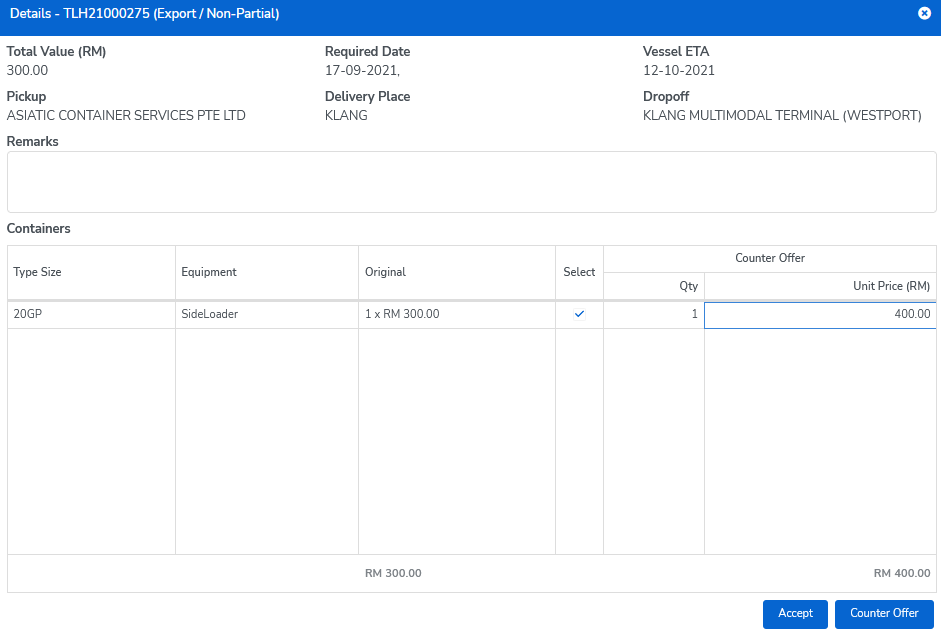

2. Lister Acceptance or Counter Offer
The Lister will be notified, once any haulier submitted the acceptance or counter offer. The jobs summary would be shown at Lister's "Your Listing - Pending" and the Lister would have the option to Accept, Reject or Counter Offer back to Haulier.
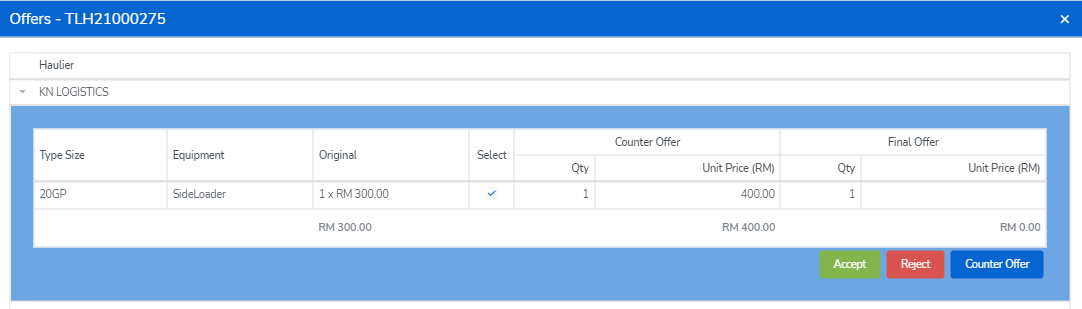
Lister would need to fill in the amount that they would like to counter offer (ensure the total counter offer amount is correct) then click "Counter Offer" to offer back to Haulier. 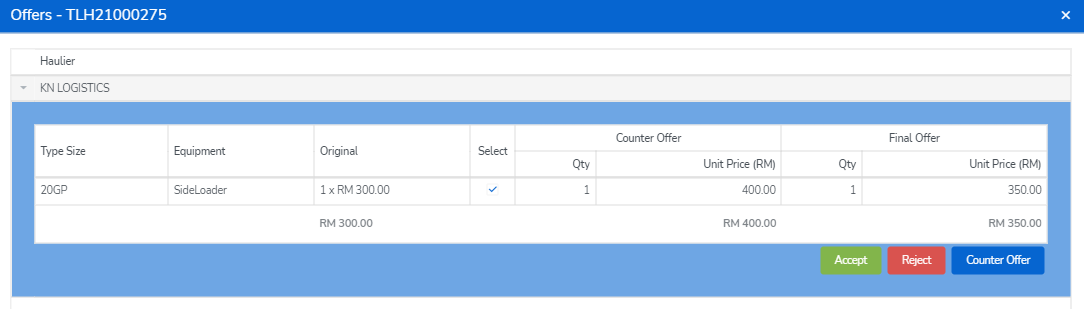

3. Pending Jobs Pool - Haulier to Accept or Reject the counter offer
The job offer will auto moved to the "Pending" Jobs Pool, once Haulier submitted the acceptance or counter offer. As only one counter offer would be allowed for each party, the Haulier could then either accept or reject the final offer that countered by Lister.
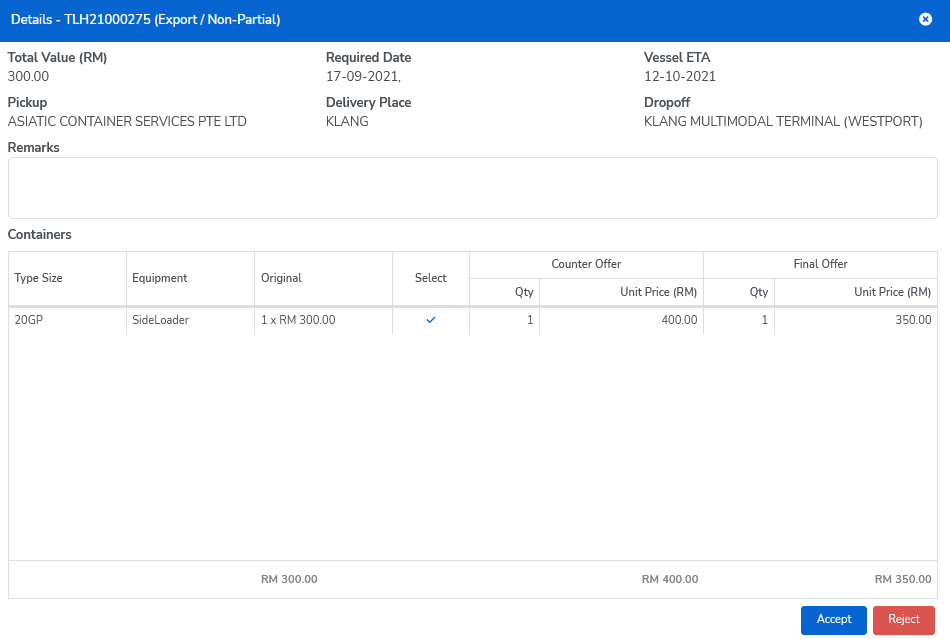
4. Lister final confirmation
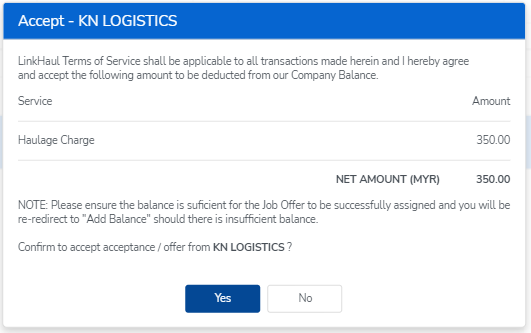
Once Haulier accepted the final offer, the Lister would be notified and could proceed to confirm the assignment and proceed the payment.
Comments
0 comments
Please sign in to leave a comment.