
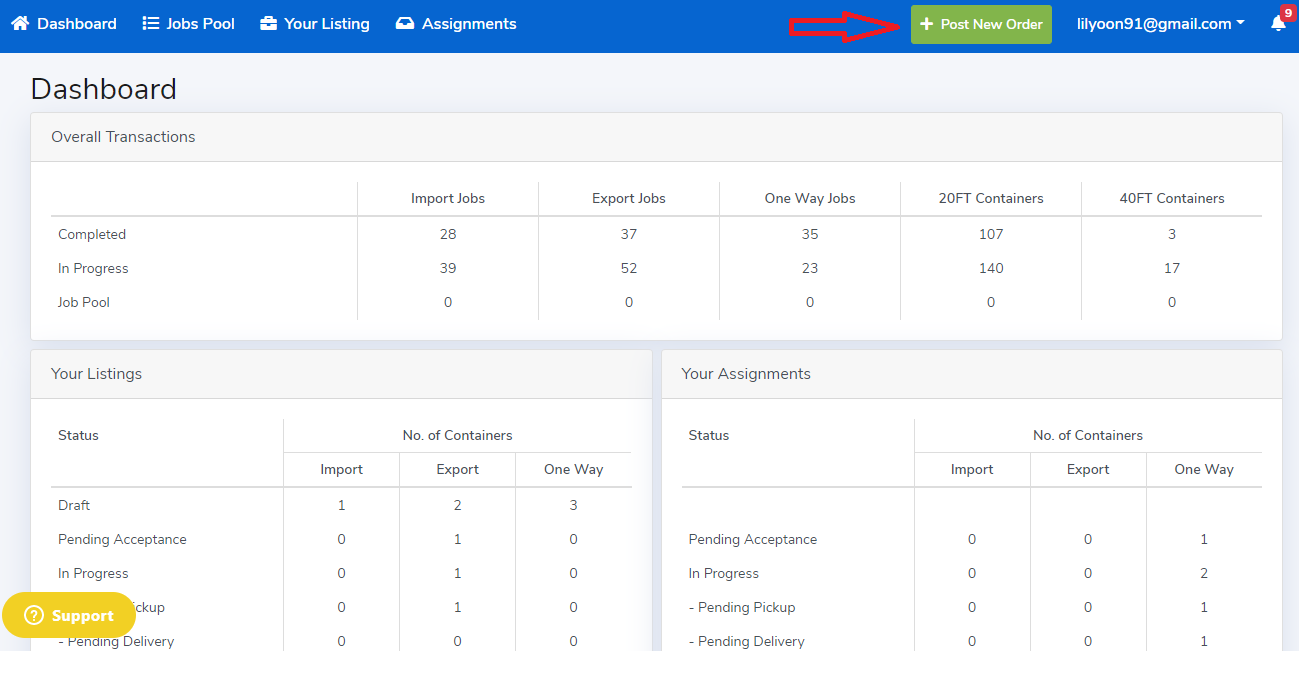
To begin sharing your excess containers you have to click on "Post New Order" button located on the top right corner of your screen.
This button will always be in the same location throughout the entire platform.
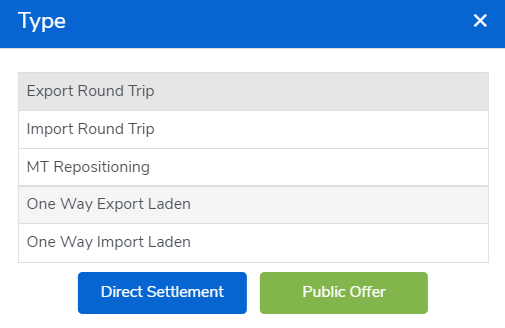
Once you clicked on "Post New Order", you would have to select the Job "Type" and click "Direct Settlement".
New Order will pop up and you would have to fill in the relevant details:
- Required Delivery Date and Time
- Booking/ BL Number
- Liner/ Operator Code
- Haulier
- Pickup
- Delivery Place
- DropOff
- Vessel Detail
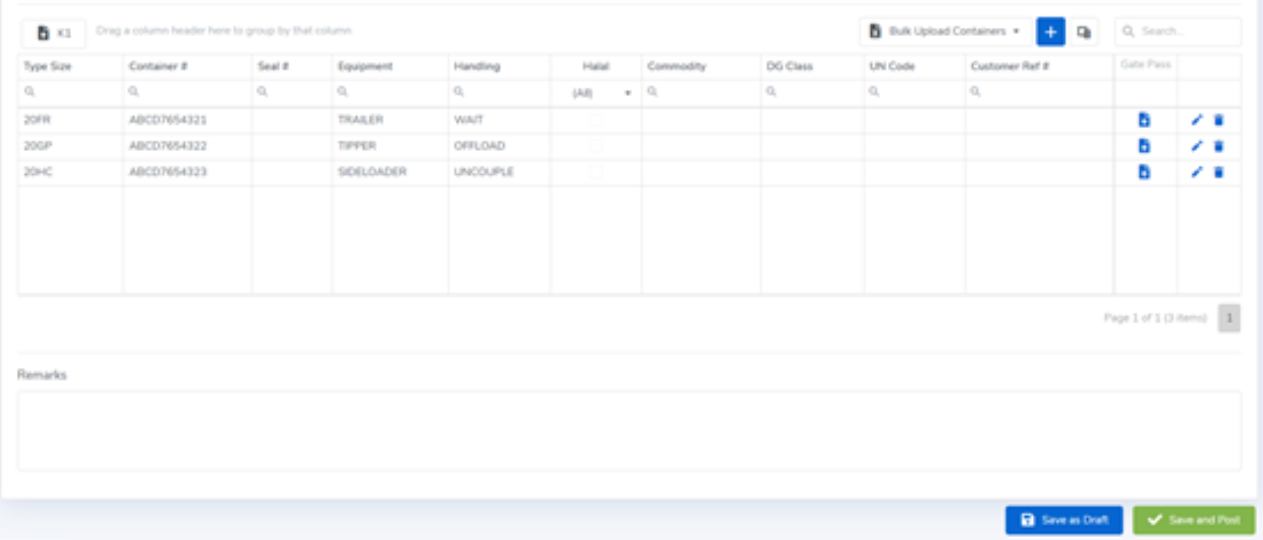
- Container details
- Attachments – K1 & Gatepass or CMO
- Remarks – Any specific requirements if needed
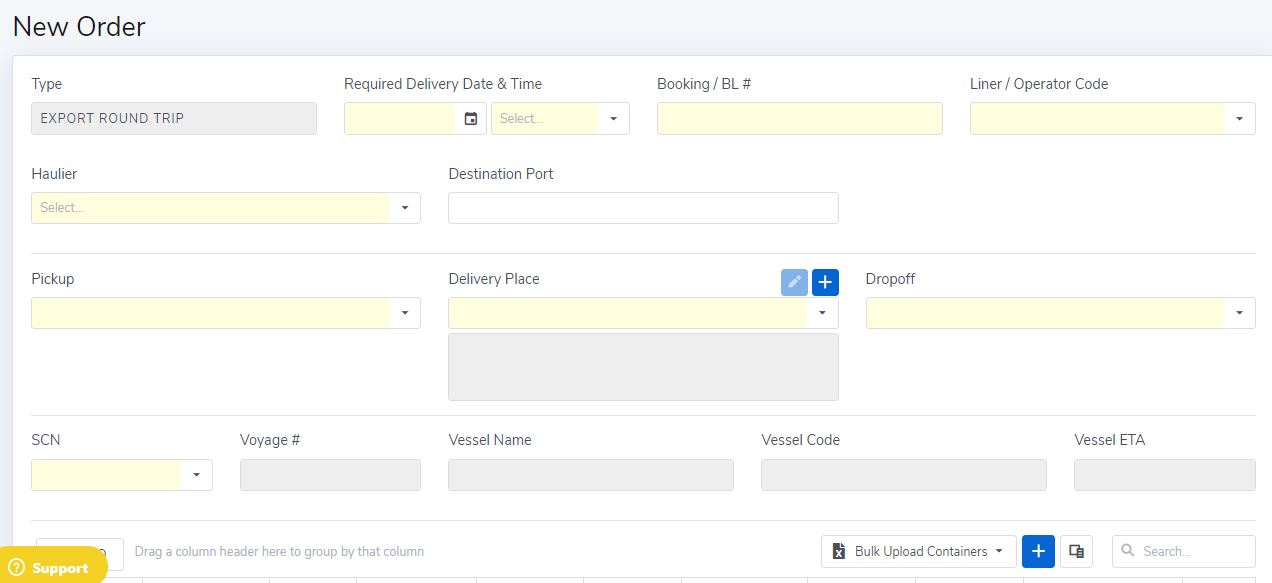
**Delivery Place
- Click the "+" sign next to delivery place to add new delivery place or click the dropdown arrow to select the previous saved delivery place.
- Input address and select Locate of the new delivery place.
- Click "Locate" to confirm location is correct and remember to click "Save".

For the Container details, click “+” sign and fill in the necessary.
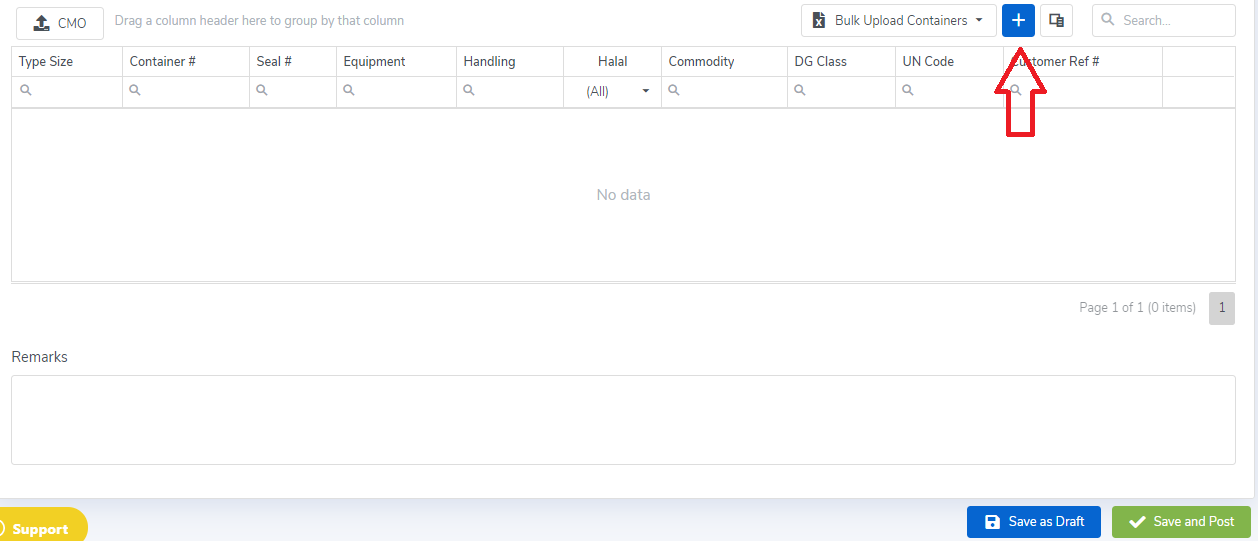

Then press "Save And Post" to push the job to your Direct Settlement Haulier or you may click "Save As Draft" for subsequent submission.
Comments
0 comments
Please sign in to leave a comment.